Choosing Your Smart Home Platform: The Foundation of Your Connected Life
Before diving into gadgets, understanding the ecosystem is crucial. Think of it as choosing between iOS and Android for your smartphone – your smart home platform will dictate compatibility and overall user experience. Popular choices include:
-
Amazon Alexa: Known for its ease of use and extensive third-party device support. Alexa’s strength lies in its voice control capabilities and seamless integration with Amazon’s services. Consider Alexa if you prioritize voice commands and already use Amazon Prime.
-
Google Assistant: Similar to Alexa, Google Assistant excels in voice control but leverages Google’s powerful search algorithms and AI. It often provides more natural language understanding and personalized responses. Choose Google Assistant if you are heavily invested in the Google ecosystem (Android, Gmail, etc.).
-
Apple HomeKit: Apple’s offering focuses on privacy and security. HomeKit relies on local control through a HomePod or Apple TV, minimizing reliance on cloud services. This makes it ideal for privacy-conscious users deeply embedded in the Apple ecosystem. However, device compatibility can be more limited.
-
Samsung SmartThings: A more versatile platform that supports multiple protocols (Zigbee, Z-Wave, Wi-Fi) and offers greater flexibility in connecting different devices. SmartThings is a good option for users who want a broader range of device choices and more advanced customization options.
Essential Smart Devices for Beginners: Starting Simple, Expanding Later
Begin with a few key devices that address immediate needs and provide a taste of home automation’s potential. Avoid overwhelming yourself with complex setups initially.
-
Smart Plugs: These are the gateway drug to smart homes. They allow you to control any appliance plugged into them remotely via your smartphone or voice assistant. Turn lamps on and off, schedule coffee makers, or monitor energy consumption – smart plugs offer instant gratification and practical benefits. Look for plugs with energy monitoring capabilities to identify power-hungry appliances.
-
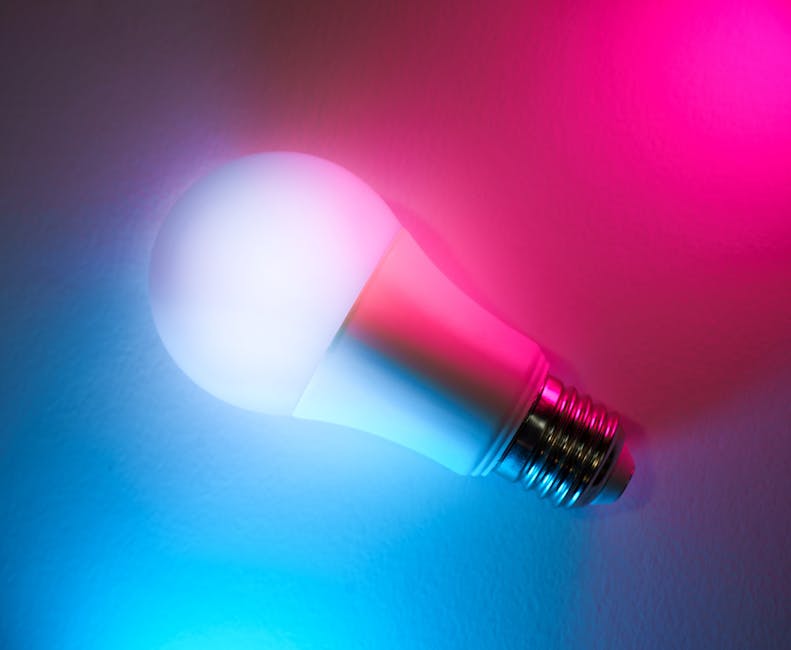
Smart Lighting: Smart bulbs and switches offer unparalleled control over your home’s lighting. Adjust brightness, change colors, and create customized scenes for different moods and activities. Smart bulbs are easier to install (simply replace existing bulbs), while smart switches require some basic electrical knowledge. Consider installing a smart dimmer switch in your living room for movie nights.
-
Smart Thermostat: A smart thermostat learns your heating and cooling preferences and automatically adjusts the temperature to maximize energy efficiency and comfort. Many models also offer remote control and geofencing capabilities, allowing you to adjust the temperature based on your location. This is a valuable investment that can save you money on energy bills in the long run.
-
Smart Security Camera: Start with a single indoor or outdoor camera to monitor your home. Look for cameras with features like motion detection, night vision, and two-way audio. Choose a camera with local storage or a subscription-based cloud storage option, depending on your privacy preferences. Place an outdoor camera near your front door for enhanced security.
Networking and Connectivity: Ensuring a Smooth Smart Home Experience
A stable and robust home network is the backbone of any successful smart home setup. Weak Wi-Fi can lead to frustrating lag times and device disconnects.
-
Strong Wi-Fi Signal: Ensure your Wi-Fi router provides adequate coverage throughout your home. Consider upgrading to a mesh Wi-Fi system to eliminate dead zones and improve signal strength. Mesh systems use multiple nodes to create a seamless Wi-Fi network.
-
Router Security: Secure your Wi-Fi network with a strong password and enable WPA3 encryption. Regularly update your router’s firmware to patch security vulnerabilities. Consider enabling guest network access for visitors to keep your main network secure.
-
Separate IoT Network: For added security, create a separate Wi-Fi network specifically for your smart home devices. This isolates them from your personal devices, limiting the impact of a potential security breach.
-
Consider Ethernet Connections: For devices that require a stable and high-bandwidth connection, such as security cameras or streaming devices, consider using a wired Ethernet connection whenever possible.
Security and Privacy Considerations: Protecting Your Data and Home
Smart home devices collect data about your habits and activities. Understanding the potential risks and taking proactive steps to protect your privacy is essential.
-
Research Device Security: Before purchasing a smart device, research its security features and privacy policies. Look for devices from reputable brands with a proven track record of security updates.
-
Change Default Passwords: Immediately change the default passwords on all your smart home devices. Use strong, unique passwords for each device.
-
Enable Two-Factor Authentication: Enable two-factor authentication (2FA) whenever possible. This adds an extra layer of security to your account, making it more difficult for hackers to gain access.
-
Review App Permissions: Regularly review the permissions granted to smart home apps on your smartphone. Revoke any permissions that are not necessary.
-
Use a VPN: Consider using a Virtual Private Network (VPN) to encrypt your internet traffic and protect your privacy.
Integration and Automation: Unleashing the Power of Smart Home Scenes
Once you have a few smart devices set up, you can start creating automated scenes to streamline your daily routines and enhance your smart home experience.
-
Scene Creation: Create scenes for different activities, such as “Good Morning” (turn on lights, raise thermostat), “Movie Night” (dim lights, close shades), or “Away” (turn off lights, lock doors, arm security system).
-
Voice Control Customization: Customize your voice commands for specific tasks. For example, instead of saying “Alexa, turn on the living room lights,” you can say “Alexa, let there be light.”
-
Geofencing Automation: Use geofencing to automatically trigger actions based on your location. For example, turn on the lights and adjust the thermostat when you are within a certain distance of your home.
-
IFTTT Integration: Explore IFTTT (If This Then That) for more advanced automation possibilities. IFTTT allows you to connect different apps and services to create custom automations.
Troubleshooting Common Issues: Resolving Connectivity and Device Problems
Even with careful planning, you may encounter occasional issues with your smart home devices. Here are some common troubleshooting tips:
-
Check Wi-Fi Connection: The first step is always to check your Wi-Fi connection. Ensure your router is working properly and that your devices are connected to the network.
-
Restart Devices: Power cycling your devices can often resolve minor issues. Unplug the device for a few seconds and then plug it back in.
-
Update Firmware: Ensure your smart home devices have the latest firmware updates installed. Firmware updates often include bug fixes and performance improvements.
-
Reset Devices: If all else fails, you may need to reset your device to its factory settings. Refer to the device’s manual for instructions on how to reset it.
-
Contact Support: If you are still having trouble, contact the manufacturer’s support team for assistance.